Module 01 · First impressions
GoHighLevel white label themes, UI kits and dark mode
Pick one of 27 GHL themes and your whole CRM changes color, type and feel in one click. Add your logo and brand color, choose from 11 UI kits, switch on dark mode for the night-shift desk, and publish. It is the dress code for every screen your recruiters and clients see.
Try every GHL theme on a live sub-account
The defaults here are the three we would shortlist for a staffing brand. Open the dark set or all 27.
- Prism Pro
- Obsidian OLED
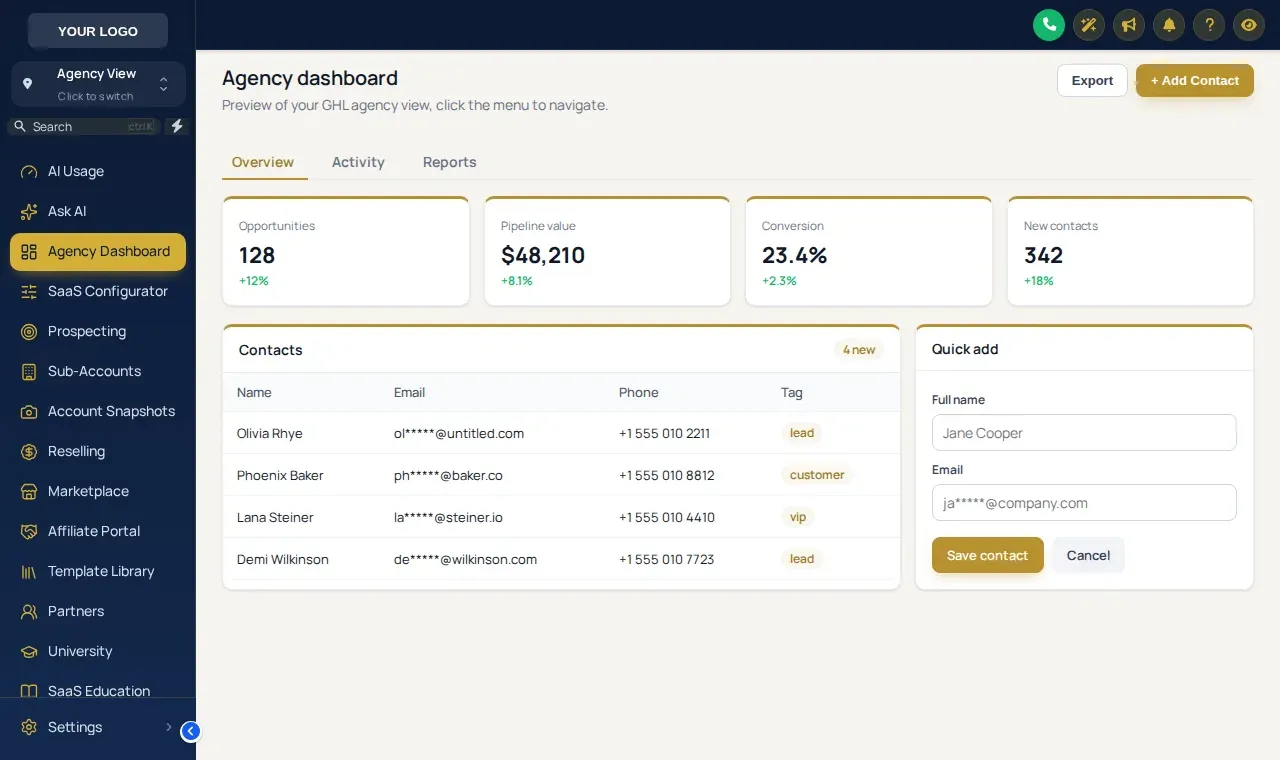
- Royal Navy & Gold
Try it live
Loading the live preview…
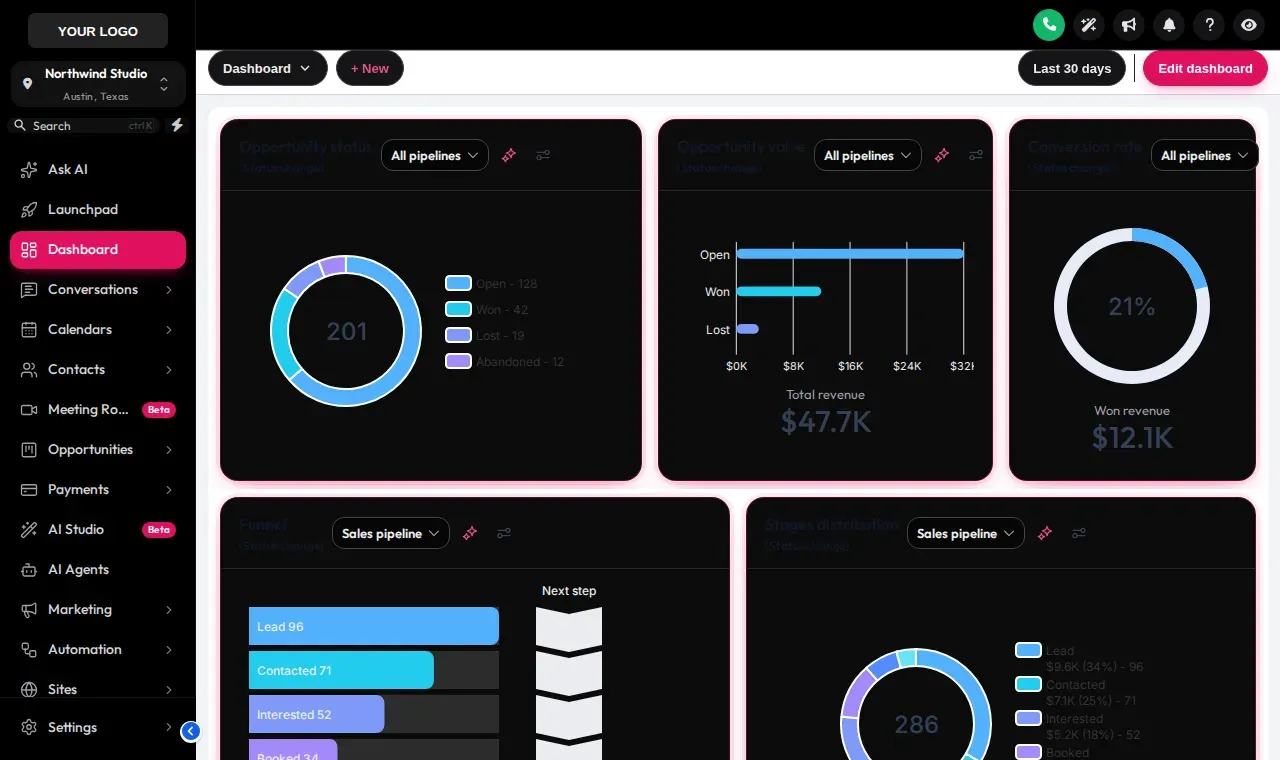
Prism Pro The real customizer engine restyling a copy of a GoHighLevel sub-account. Click the sidebar, collapse it, or open the Save contact modal: it all works.
What changes when you apply a GHL theme?
Seven layers move together, so nothing is left in stock GoHighLevel grey.
- 1Sidebar color and active item style
- 2Header bar and its buttons
- 3Page background (solid, gradient or image)
- 4Typography and corner radius
- 5UI kit for cards, tables and inputs
- 6Brand color on links, charts and buttons
- 7A matching login page on most themes
11 UI kits and a real dark mode
UI kits restyle the parts inside each page
A theme sets the frame; a kit sets the furniture. Swap kits to make candidate tables, intake forms and modals flat, glassy, bold or soft without changing your colors.
- Soft Shadow
- Bordered Flat
- Elevated
- Glass
- Accent Top
- Side Accent
- Brutalist
- Studio Gradient
- Halo Glow
- Crisp Highlight
- Rounded Pill
Our pick for a recruiting desk: Side Accent. A colored edge on each card makes status panels easy to scan.
Dark mode for long shifts
3 dark themes ship ready: Graphite Pro, Obsidian OLED, Midnight Mint. Useful for night-shift coordinators and anyone on screens ten hours a day.
How staffing agencies use GHL themes
Healthcare staffing
A calm Care Desk or Arctic Clean theme for coordinators who work credential checks and shift fills all day, with client facilities seeing the same branded portal.
Executive search
Royal Navy & Gold or Graphite Pro so the platform looks as considered as the retained search fee. Clients notice when they log in to review a slate.
Light-industrial desks
High-contrast Prism Pro or Obsidian OLED for a busy floor where recruiters need active items and alerts to stand out at a glance.
Without a theme vs with one
| Problem | Outcome |
|---|---|
| Clients see generic software | They see your agency's colors and logo |
| GHL custom CSS breaks or drifts | No CSS to maintain; the platform serves it |
| Bright screens on night shifts | A full dark theme in one click |
| Every sub-account looks the same | One brand across agency and client views |
How to theme GoHighLevel in four steps
Start from a theme
Open the theme gallery in your account and pick one of the 27. Each one sets sidebar, header, background, type, corner radius, UI kit and, on most themes, a matching login page.
Drop in your logo and brand color
Upload the agency logo and set your primary color. The theme recolors buttons, active menu items, links and charts to match.
Choose a UI kit and dark mode
Switch between 11 UI kits to change how cards, inputs, tables and modals feel, and turn on dark mode if your desk prefers it.
Publish and paste the line once
Preview it, publish it, and paste your one line into GoHighLevel the first time. After that, every theme change goes live on the next page load.
Themes · UI kits · dark mode
GoHighLevel theme FAQs
What is a GoHighLevel white label theme?
A GoHighLevel white label theme is a set of styles that replaces the default GHL look with your own: sidebar and header colors, page background, fonts, corner radius and component styling. Agencies use it so the CRM reads as their product rather than stock software.
How many GHL themes are included?
27 complete themes, including 3 dark themes (Graphite Pro, Obsidian OLED, Midnight Mint). Every one is included from the Shortlist package ($197 one-time).
What is a UI kit in the customizer?
A UI kit restyles the building blocks inside GoHighLevel pages: cards, buttons, inputs, tables, tabs and modals. There are 11 kits, from Soft Shadow, Bordered Flat, Elevated to Crisp Highlight and Rounded Pill. A kit works with any theme.
Does GHL have a native dark mode?
GoHighLevel does not give agencies a full dark mode they can brand. The customizer adds one: dark themes such as Obsidian OLED restyle the sidebar, header, cards and tables together so text stays readable.
Is this the same as adding GHL custom CSS myself?
It does the same job as GHL custom CSS, without writing or maintaining any. You choose options in an editor with a live preview; the platform generates and serves the CSS and JavaScript, and keeps it working when the engine is updated.
Will a theme apply to my client sub-accounts too?
Yes. The line goes into your agency white-label settings, so the theme applies across the agency view and the sub-accounts under it. The live preview above lets you switch between the client sub-account and agency views.
Can each recruiter pick their own theme?
The theme is set per brand (per workspace), not per user. Dark mode follows the design you publish. Larger packages hold more workspaces if you run several brands.
Can I match the theme to our career site colors?
Yes. Set the primary color to your brand hex and upload the logo; the theme recolors buttons, links, active items and chart accents to match the career site.
Will a theme slow GoHighLevel down?
The styles load once from the customizer platform and are cached by the browser, so there is no noticeable delay after the first load.
Keep building the brand
Dress your CRM like your agency
All 27 themes, 11 UI kits and dark mode are in every package, starting with Shortlist.
Login emailed within minutes (max 24 hours) · One-time payment, lifetime access · Packages from $197
Independent product. GoHighLevel and HighLevel are trademarks of HighLevel Inc. Hiring Snapshot is an independent affiliate and is not an official partner, employee or reseller of HighLevel. The customizer runs on the GHL Customer Care platform and changes only how your own GoHighLevel account looks and behaves in the browser; your data stays in GoHighLevel. Screens on this page are live previews and screenshots of the real customizer engine applied to sample data.