· Adrienne Boyd · Playbooks · 15 min read
How to Migrate a New York City Staffing Agency to GoHighLevel Without Losing Your Candidate Database (2026)
Moving a NYC recruiting desk off Bullhorn, Crelate, or a pile of spreadsheets into GoHighLevel scares operators for one reason: the candidate database. Here's the 7-step migration playbook that gets you across cleanly — every contact, pipeline, and note intact.
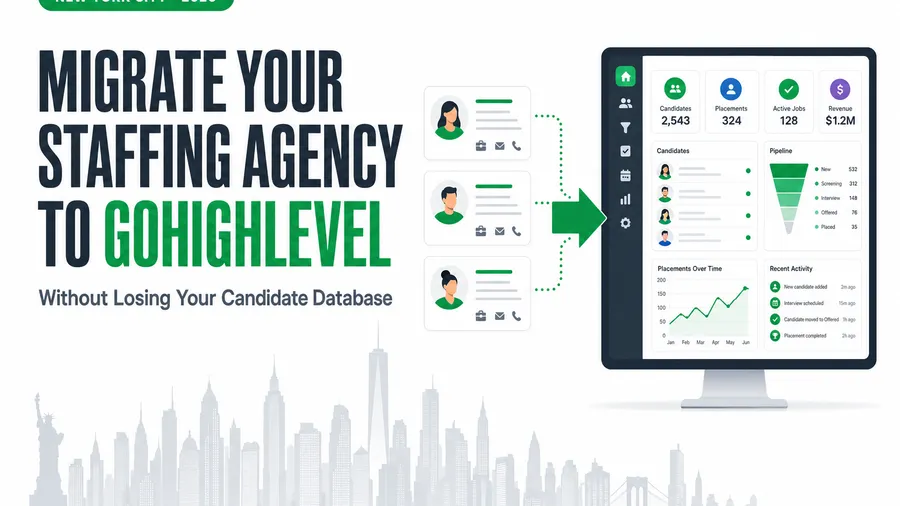
Short answer: you migrate a New York City staffing agency to GoHighLevel by moving the data in a fixed order — audit and field-map first, back up and export second, dedupe and clean third, then import into a pre-built GHL structure, validate the counts against the source, run both systems in parallel for a week, and cut over only after the numbers match. Done in that order, nothing gets lost: every candidate, pipeline stage, note, and placement record lands intact, and your consent history stays TCPA-defensible. Skip the order — dump a raw export into GHL and hope — and you inherit the one outcome every operator fears: a candidate database full of duplicates, dead numbers, and gaps. This playbook is the safe version, written for a fast, expensive NYC market where a botched migration costs placements you can’t get back.
Key takeaways
- The database is the whole risk — and it’s a real one. Per Gartner, more than half of data migration projects exceed their budget or damage the business because of flawed execution and poor data strategy (Gartner, Best Practices Mitigate Data Migration Risks). A migration plan is what moves you off the wrong side of that statistic.
- Bad data is expensive before and after the move. Poor data quality costs organizations an average of $12.9 million a year (Gartner). Migration is your one clean chance to dedupe and fix it — or to copy the mess forward.
- NYC punishes slow desks. Workers in the New York–Newark–Jersey City metro earn a mean of $41.50 an hour versus $33.54 nationally (U.S. Bureau of Labor Statistics, May 2025). Expensive, in-demand candidates go to whoever responds first.
- Speed is the payoff. Contacting a lead within five minutes instead of thirty makes you about 21x more likely to qualify it (Lead Response Management study). GHL’s automations turn that speed on the day migration finishes.
- Order beats effort. The safe path is seven steps in sequence, with a parallel-run safety net and TCPA-safe consent handling — not a heroic weekend copy-paste.
Table of contents
- Why NYC staffing desks feel this pressure first
- Why migrate to GoHighLevel at all
- The real risk: losing your candidate database
- The 7-step GoHighLevel migration playbook
- What you gain the day you finish: instant speed-to-lead
- Don’t migrate your TCPA problem along with your data
- Migrate it yourself, or have it done for you?
- FAQ
Why NYC staffing desks feel this pressure first
New York is the most competitive labor market in the country, and it moves fast. Workers in the New York–Newark–Jersey City metro earn a mean of $41.50 an hour, well above the national mean of $33.54 (U.S. Bureau of Labor Statistics, May 2025). The state is also a staffing heavyweight — New York is one of the largest states in the U.S. for staffing revenue, at roughly $11.8 billion in annual sales (American Staffing Association).
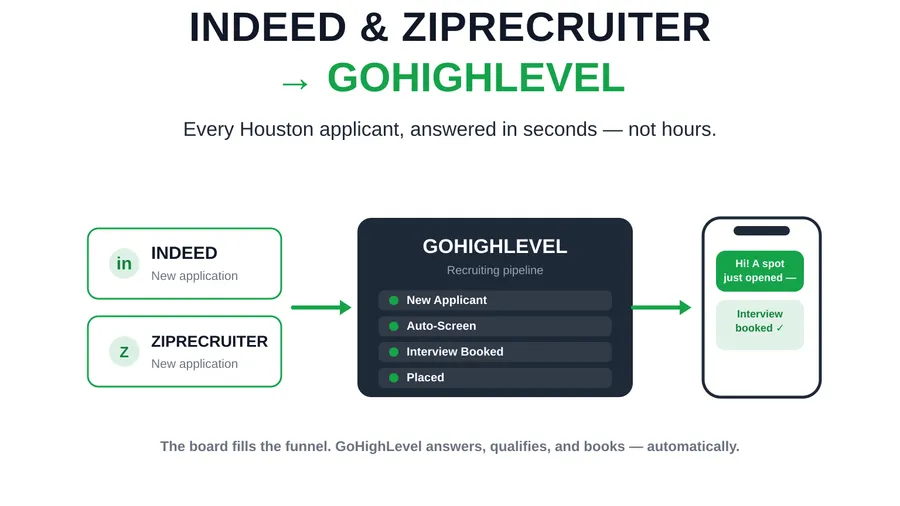
Put those two facts together and the picture is clear: NYC candidates are expensive, in demand, and courted by every agency at once, while your clients — from Midtown finance to Bronx healthcare systems to Queens light-industrial — expect a submittal in hours, not days. A desk running on a legacy ATS that fights you, or on spreadsheets that don’t talk to your phone system, simply can’t keep that pace. That’s why so many New York agencies are moving to GoHighLevel: one system that captures the candidate, qualifies them by SMS in seconds, books the interview, and keeps clients warm — no re-keying, no per-seat tax.
Why migrate to GoHighLevel at all
If you’re going to take on the risk of a migration, the destination has to be worth it. For most staffing desks, GoHighLevel is, for three operator reasons.
It collapses the tool stack. The typical recruiting operation runs a candidate in a legacy ATS and a job board and a texting app and a shared spreadsheet and three email threads — none of which agree on that candidate’s current status. That fragmentation has a measured cost: knowledge workers toggle between applications roughly 1,200 times a day and lose close to 9% of the workday just re-orienting after each switch (Harvard Business Review, 2022). On a recruiting desk, that lost time is submittals not sent. GHL puts capture, SMS, email, calendar, pipeline, and reporting under one login.
It kills the per-seat tax. Most legacy recruiting platforms charge per user, per month, forever — so growth is punished. GHL’s model doesn’t scale your bill by headcount the same way, which is a real line-item win for a growing New York desk.
It automates the moment that wins placements. The whole game in staffing is speed, and GHL is built to respond instantly — auto-text a new applicant, book the screen, and send the reminder without a human touching it. We compare the platforms honestly in GoHighLevel vs. Bullhorn for staffing agencies, and if you’re weighing a bespoke build instead, the hidden cost of disconnected recruiting tools walks through when custom software beats both.
The catch is that none of that upside matters if the move corrupts your candidate database on the way in. So let’s deal with that risk head-on.
The real risk: losing your candidate database
Here’s the honest part operators rarely hear from a sales rep: migrations fail more often than they succeed cleanly. Per Gartner, more than half of data migration projects exceed their budget or actively harm the business, driven by flawed execution and inadequate data strategy (Gartner, Best Practices Mitigate Data Migration Risks). Your candidate database — years of sourced contacts, placement history, and hard-won relationships — is the single most valuable asset on the desk, and a careless migration is exactly how agencies lose part of it.
The damage rarely looks like a dramatic crash. It looks like this: duplicate contacts because the same candidate existed twice in the old system and nobody deduped; broken phone numbers because formats didn’t map; lost notes because a custom field had no home in GHL; and a pipeline where “placed” candidates show as “available” because a status field flattened on import. Each is small. Together they poison the database you migrated to save.
And the cost compounds quietly. Gartner pegs the average cost of poor data quality at $12.9 million a year per organization (Gartner). Scale that down to a staffing desk and it’s a recruiter texting a candidate who was placed last week, or submitting a stale résumé to a Manhattan client, or missing a redeploy because the “available” flag was wrong. The migration is your one clean chance to fix the data — or to copy every existing error forward and add new ones.
The good news: this risk is entirely manageable. It’s a function of order and validation, not luck. That’s what the playbook below enforces.
The 7-step GoHighLevel migration playbook
This is the sequence we use to move a staffing agency into GoHighLevel with the database intact. Do the steps in order; the order is the safety.
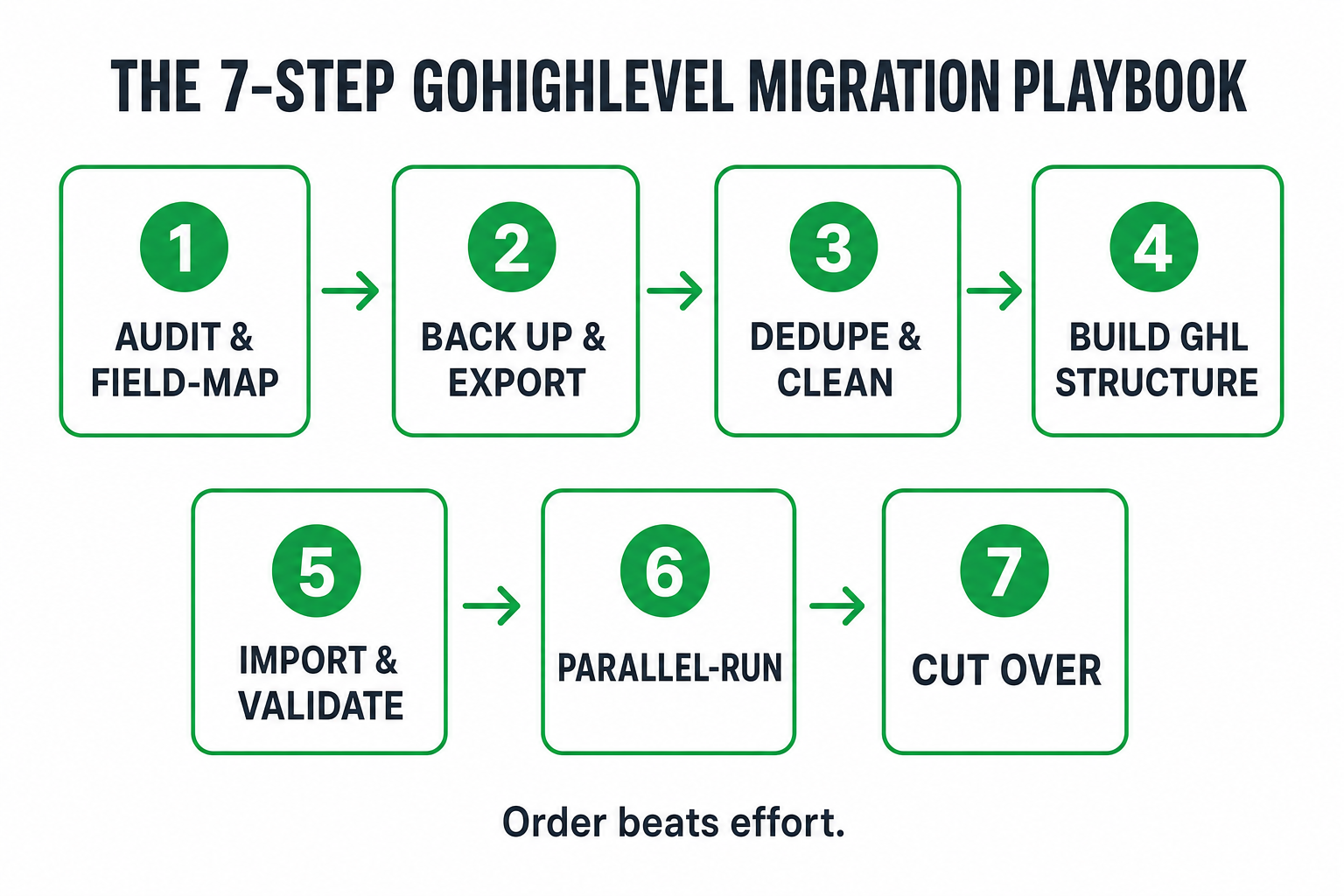
Step 1 — Audit and field-map. Before anything moves, document what you have and where it goes. List every field, pipeline stage, tag, and custom object in your current ATS/CRM, and map each one to its home in GoHighLevel. This is where you decide that “Candidate Status: Placed” maps to a GHL pipeline stage, that “Bill Rate” becomes a custom field, and that three overlapping tag systems collapse into one. Nothing gets migrated until it has a mapped destination. This single step prevents the “lost notes” and “flattened status” failures above.
Step 2 — Back up and export. Pull a complete export from the source system via API or CSV, and keep an untouched copy as your safety backup. You never work on your only copy. If your system of record is Bullhorn, JobAdder, Crelate, Ceipal, or Loxo, the export path differs — but the rule is identical: full extract, verified record count, backup stored before you touch a thing.
Step 3 — Dedupe and clean. This is the step most DIY migrations skip, and it’s the one that pays for the whole project. Deduplicate contacts, normalize phone and email formats (so GHL’s SMS and email actually send), and flag records that need a human decision before they move. You’re not just moving data — you’re moving clean data. Migrating duplicates into GHL just means paying to text the same person twice.
Step 4 — Build the GHL structure. Set up the destination before you import: pipelines and stages that match your desk, custom fields from your field map, tags, calendars, and the workflows candidates will land in. A well-built GoHighLevel ATS and recruiting pipeline — or a done-for-you Hiring & Staffing snapshot — gives you this structure out of the box, so records import into a real system instead of an empty shell.
Step 5 — Import and validate the counts. Load contacts, pipelines, notes, and placement history into GHL — then validate. Compare record counts against the source export. Spot-check a sample of candidates field by field. Confirm that “placed” candidates show as placed and that phone numbers dial. Validation is non-negotiable: it’s the difference between “we migrated” and “we migrated correctly,” and it’s exactly the step that keeps you off the wrong side of Gartner’s failure statistic.
Step 6 — Parallel-run with the old system read-only. Don’t shut the legacy system off the moment data lands. Keep it live but read-only for about a week while the team works in GHL. If a record looks wrong, the source of truth is right there to check against. This safety net is cheap and it’s the reason a good migration never has a “we lost everything” moment.
Step 7 — Cut over and rebuild automations. Once counts match and the team is comfortable, cut over fully. Now rebuild the automations that made the move worth it: instant applicant auto-response, interview scheduling, no-show reminders, candidate re-engagement, and client reactivation. Migration moved the data; the automations are what turn that data back into placements.
What you gain the day you finish: instant speed-to-lead
The migration isn’t the goal — what it unlocks is. The day GHL goes live, every new applicant hits an automated response in seconds instead of sitting in an inbox. That matters more than most desks admit: contacting a lead within five minutes instead of thirty makes you roughly 21x more likely to qualify that lead (Lead Response Management study). In a market where the first agency to respond usually becomes the default, that speed is placements.
Speed also attacks the metric every operator watches. The median U.S. time-to-fill sat at about 44 days in 2025 (SHRM 2026 Recruiting Benchmarking), and every hour of manual lag adds to it. Automating the first touch, the qualification, and the scheduling is how desks pull that number down — the full mechanics are in our time-to-fill playbook. And because your whole database is now in one system, you can finally run a proper candidate database reactivation instead of letting years of sourced contacts go cold.
Don’t migrate your TCPA problem along with your data
One warning that trips up agencies that migrate themselves: consent doesn’t automatically travel with a phone number. If you’re going to start texting a migrated database, you need to know which contacts actually opted in to receive SMS — and under the TCPA, that consent record matters. A clean migration carries the consent status field across with the contact and, where consent is missing or stale, routes those contacts through a re-permission step before any automated text goes out. Migrating a database and then blasting it with SMS you don’t have consent for doesn’t save you time; it buys you a compliance problem at scale. Build the consent handling into the migration, not after it.
Migrate it yourself, or have it done for you?
You can run this playbook in-house — plenty of capable agencies do. The honest trade-off is time, risk, and what your recruiters aren’t doing while they wrestle exports and field maps.
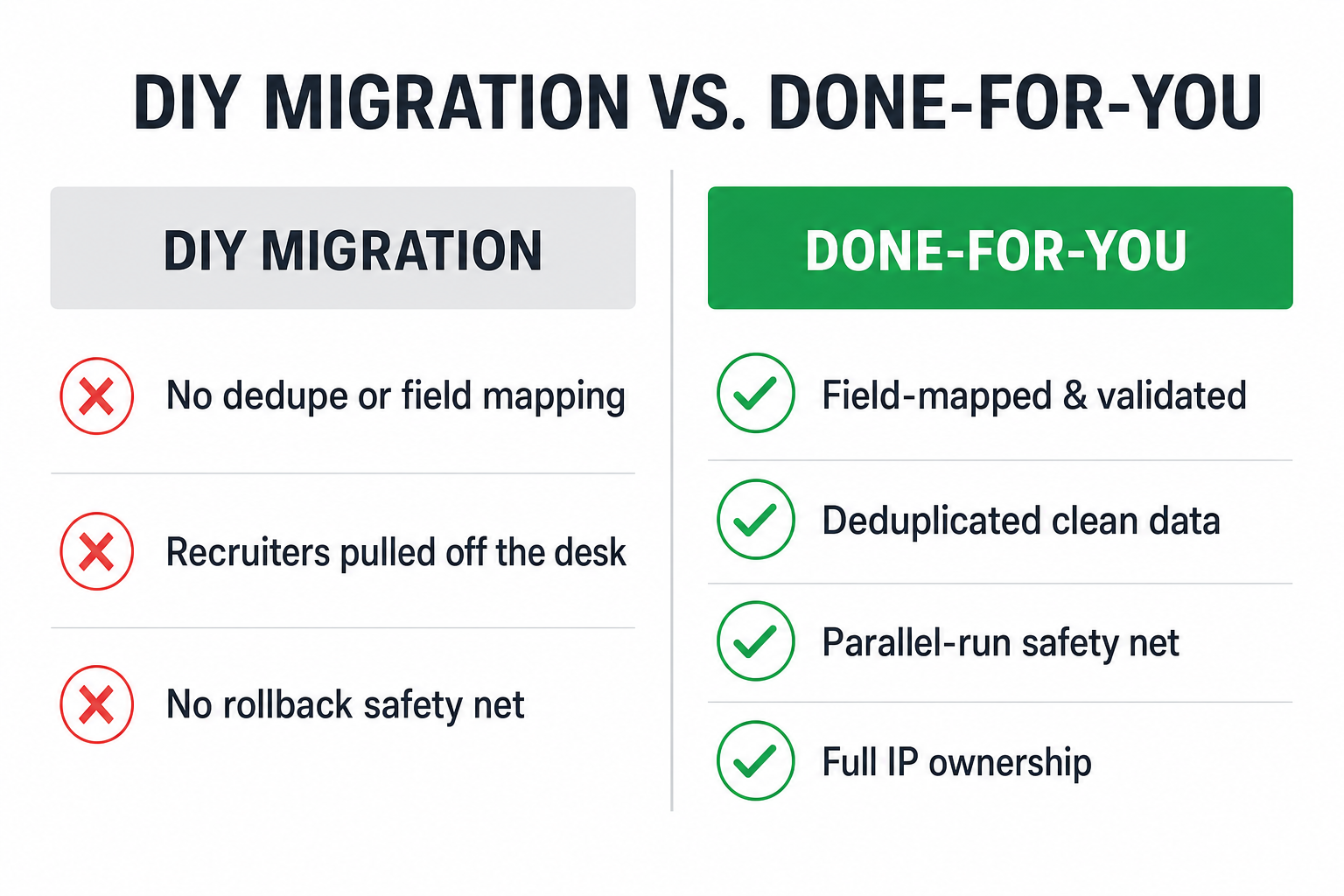
Do it yourself if: your database is small and clean, your team has real spare capacity, and your old system has a straightforward export. A few hundred contacts with tidy fields is a reasonable weekend project.
Have it done for you if: you’re moving tens of thousands of records, your data is messy, you’re on Bullhorn/Crelate/Ceipal/Loxo with custom objects, or — the real reason — you can’t afford for your recruiters to be off the phones for two weeks in a market like New York. This is exactly what our GoHighLevel development service does: we audit and field-map, export and dedupe, build the GHL structure, import and validate, run parallel, and cut you over — with your contacts, pipelines, tags, notes, and placement history intact, and full IP ownership of everything we build.
Either way, the discipline is the same: order beats effort. A migration that follows the seven steps — audit, back up, clean, build, validate, parallel-run, cut over — moves a New York staffing desk into GoHighLevel with its most valuable asset fully intact, and turns that database back into placements the day it’s done.
Frequently asked questions
Will I lose candidates or data migrating my staffing agency to GoHighLevel?
Not if you migrate in the right order. The losses people fear — duplicates, dead phone numbers, missing notes, wrong statuses — come from dumping a raw export into GHL without mapping, cleaning, or validating. Follow the seven steps (audit and field-map, back up, dedupe, build the GHL structure, import and validate counts, parallel-run, cut over) and every contact, pipeline stage, note, and placement record comes across intact. Gartner reports more than half of data migrations run over budget or harm the business — the plan is what keeps you out of that group.
How long does a GoHighLevel migration take for a staffing agency?
It depends on volume and data cleanliness. A small, tidy database can move in days; a large agency on Bullhorn or Crelate with tens of thousands of records and custom objects is usually a one-to-three-week project, most of it spent on field mapping, deduplication, and validation rather than the import itself. The parallel-run week is deliberately built into that timeline as a safety net.
Can you migrate from Bullhorn, JobAdder, Crelate, Ceipal, or Loxo to GHL?
Yes. We run full migrations off all of them: contacts, candidates, pipelines, tags, notes, and placement history are mapped, deduplicated, imported, and validated against the source system before go-live, with the old platform kept read-only as a safety net during cutover. See the GHL development and migration service for how it works.
Is it safe to text my candidate database after migrating it?
Only the contacts who have valid SMS consent. Consent doesn’t automatically transfer with a phone number, so a proper migration carries the consent status field across and routes missing or stale consent through a re-permission step before any automated text. Texting a migrated list without consent is a TCPA problem, not a shortcut — build the consent handling into the migration.
Do I need custom development, or is the standard snapshot enough?
For many New York desks, a done-for-you Hiring & Staffing GHL snapshot plus a clean migration is all you need — it ships the pipelines, consent capture, and automations out of the box. Custom GHL development comes in when you need something the snapshot doesn’t cover: a two-way ATS integration, a candidate or client portal, a custom AI recruiter agent, or a bespoke reporting dashboard. Start with the snapshot; add custom builds when you outgrow it.
Should I migrate myself or hire it out?
Migrate yourself if your database is small and clean and your team has spare time. Hire it out if you’re moving large or messy data, you’re on a legacy ATS with custom objects, or you can’t afford to pull recruiters off the phones in a fast market like NYC. The cost of a botched self-migration — a corrupted database and lost placements — usually dwarfs the cost of having it done right the first time.
About the author
Adrienne Boyd is the Recruiting Automation Strategist behind the Hiring Snapshot, based in Austin, TX. She spent a decade building applicant-capture funnels and SMS-first nurture cadences for staffing agencies before moving full-time into GoHighLevel automation. She writes the playbooks and field reports, and she is happiest when a manual, three-person process collapses into a single trigger.
Related reading
- Build a GoHighLevel ATS & Recruiting Pipeline: The Full Setup
- GoHighLevel vs. Bullhorn for Staffing Agencies: An Honest Comparison
- The Hidden Cost of Disconnected Recruiting Tools
- How to Reduce Time-to-Fill: The 2026 Playbook for Staffing Desks
- How to Reactivate a Cold Candidate Database
Ready to move without losing your database? See our GoHighLevel migration & development service, get a fixed-price quote, or see how the Hiring Snapshot works if you’d rather start with a done-for-you GHL setup.